An ESP32-S3 program is driving a virtual motor
Our ESP32-S3 single-motor example now reads feedback and adjusts its output on a computer, with pause and single-step controls. Here is where the work stands.
Some motor-control problems are hard to spot by reading code. Is the feedback direction reversed? Is the output stuck at its limit? Often, you need a board and motor connected before you can see what is happening. We are working on ESP32-S3 simulation so that some of those questions can be explored on a computer first.
Recently, we got a single-motor example running in Botdraft. A control program compiled for ESP32-S3 now runs from the project screen. Its output drives a motor model, the model’s motion returns through a simulated encoder, and the program decides what to do next. Botdraft is still a working name.
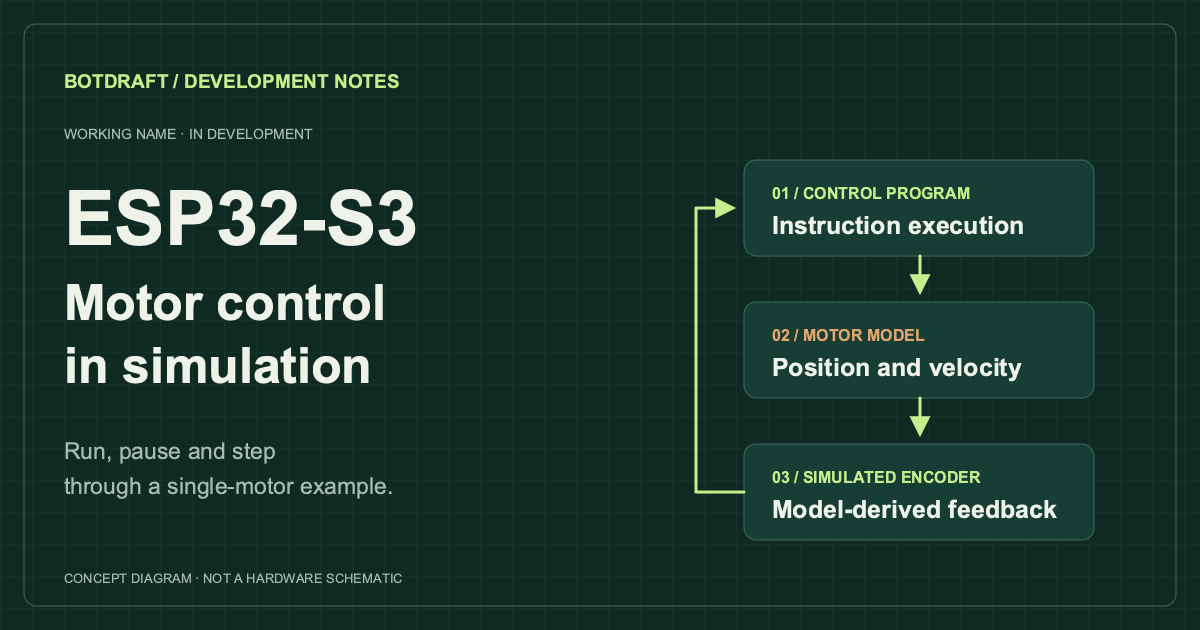
The single-motor example we have running today. This is a diagram, not a product screenshot.
What we can do with it now
We can start, pause, single-step and resume this example. Pausing also holds the model at the same point in simulation time. Step forward, and the program reads feedback and adjusts its output, while the displayed motor pose follows the calculated result. We can stop at a step, look at what happened, and then continue.
We want to use this to help debug control programs. After an output is sent, does the model change as expected? What does the program do with the feedback it receives? Those are the questions we want developers to be able to examine before connecting hardware.
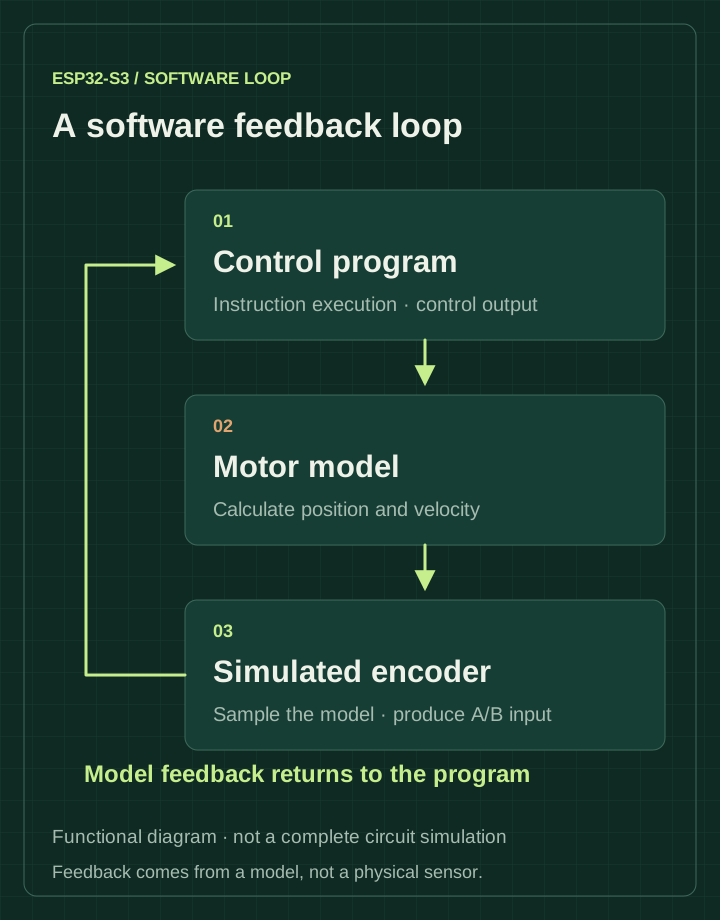
The feedback read by the program is calculated by the model.
What we still need to add
So far, we have this single-motor example running. We cannot take an arbitrary ESP32-S3 firmware image and run it here yet. More on-chip peripherals need to be added, and we do not simulate the complete circuit of a development board.
The motor model still uses test parameters. We have not compared it with physical hardware, so this result cannot tell us how a particular real motor will behave. Simulation time is also different from the time the computer takes to run it; we still need to improve execution speed.
Next, we will work on load changes and interrupted feedback through this project screen: how the program responds to a load, and what it does when the encoder stops updating. We have not finished those scenarios in this interface. We will also add peripheral models and motor parameters, checking the parameters against the public manufacturer documentation we can find.
The project overview describes the wider direction. Earlier software and export work is covered in the scope note.